
Hindsight v2026.01 Released!
Hindsight v2026.01 brings new features, including parsing Sync Data, an updated terminal interface, improved output formats, and dozens of fixes and enhancements.

Sync Data Parsing
A new feature that I'm excited to about in this release is parsing of Chrome's Sync Data. When a user signs into Chrome with their Google account, Chrome can sync bookmarks, passwords, extensions, history, and more across devices.
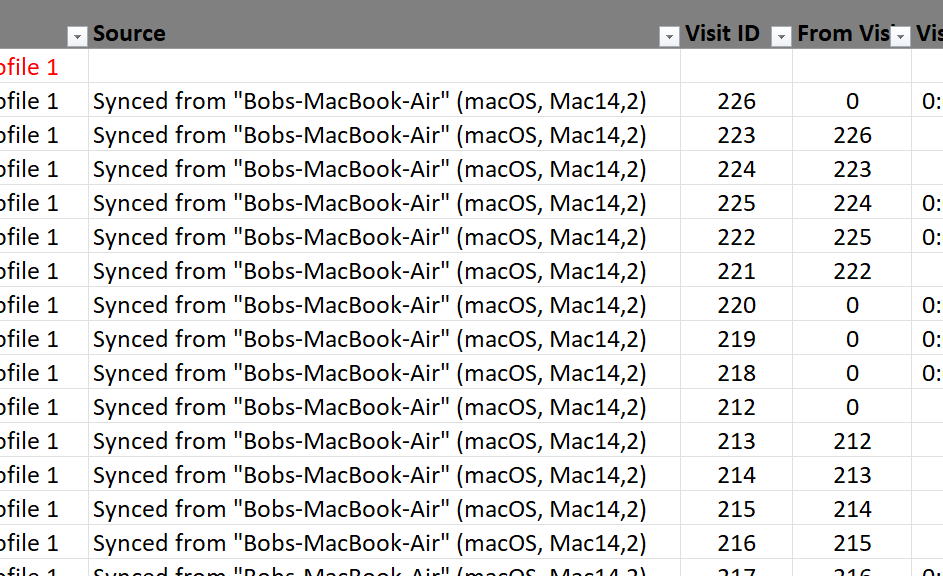
This sync functionality stores data locally in LevelDB files, and Hindsight can now parse it - at least partially. Most of the LevelDB records hold data encoded in different protobufs, many of which Hindsight now parses. The meaning and function of these parsed records is definitely an area for further research, as there is a wealth of information in the data. Hindsight currently only parses out what devices were used for syncing and enhances the existing "Source" column in the timeline with details about the originating device for synced URL visits:
Updated Terminal Interface
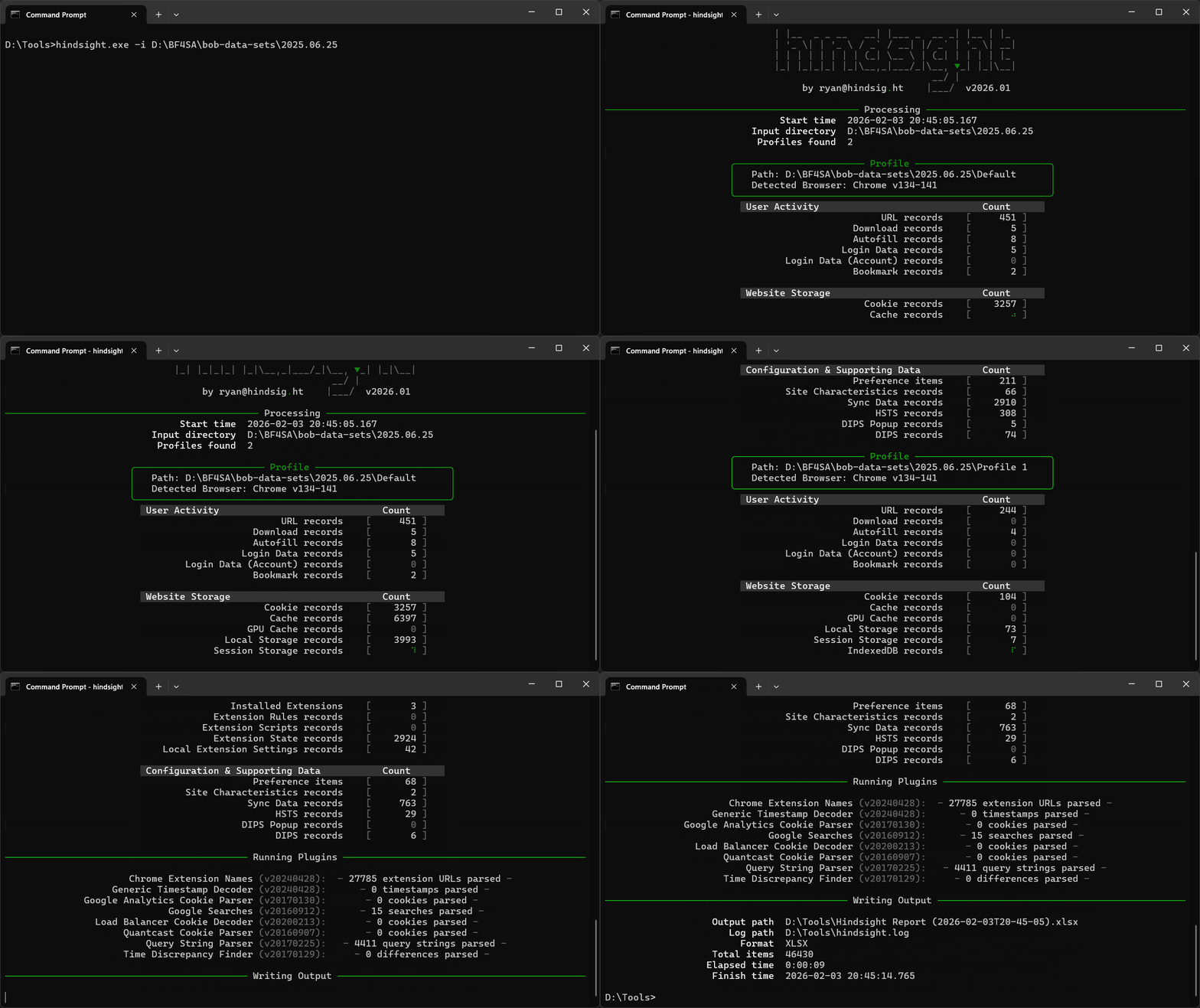
Hindsight's terminal interface has been largely unchanged for almost 10 years (!?) now, and it showed. Hindsight now uses the rich library to provide a much more polished command-line interface, while still keeping with the spirit and style of the original version. This is mostly a cosmetic change; the command line syntax remains the same.
New Artifacts & Expanded Parsing
Beyond Sync Data, v2026.01 adds parsing for several other Chrome artifacts:
- Permission Actions from the Preferences file, showing what permission requests websites have made
- Login Data For Account database, used for account-specific saved credentials in recent Chrome versions
- Account Capabilities from Preferences, translated into human-readable descriptions
- Parsing for more timestamped values in Preferences, as there are many top- or second-level keys that just hold a timestamp and are easy to parse
Improved Output Formats
All three output formats (XLSX, JSONL, and SQLite) received improvements in this release. The SQLite output in particular was overhauled to be more comparable to the other formats, making it easier to work with Hindsight data in your tool of choice. The JSONL output, which was introduced to make it easier to import Hindsight results into Timesketch, previously only had timestamped records. It now includes all records; those without any intrinsic timestamp (like various storage items) have their timestamp set to the Unix epoch and a timestamp description of "Not a time".
More Robust Parsing
There are over a dozen fixes and improvements to make Hindsight's parsing more reliable and complete:
- Updated parsing for changes in Chrome v142's DIPS records
- New danger types and interrupt reason codes for download records
- Better handling of extension version strings and preference timestamps
- More tolerant File System logical path creation
- Improved file-closing and resource management
Get Hindsight!
You can get Hindsight, view the code, and see the full change log on GitHub. Both the command line and web UI versions of this release are available as:
- compiled exes attached to the GitHub release or in the dist/ folder
- .py versions are available by
pip install pyhindsightor downloading/cloning the GitHub repo.